







Real-time
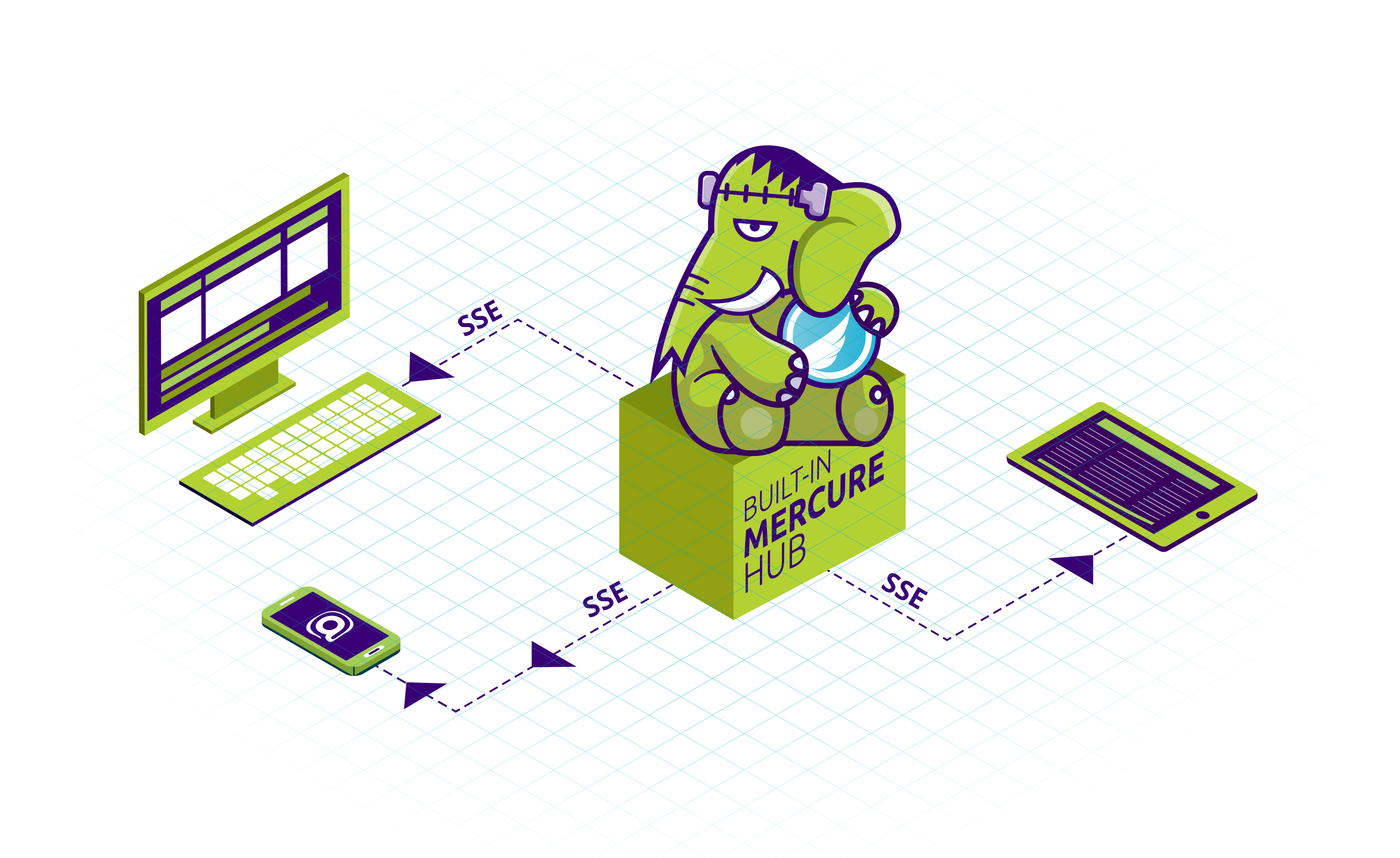
FrankenPHP comes with a built-in Mercure hub! Mercure allows you to push real-time events to all the connected devices: they will receive a JavaScript event instantly.
It’s a convenient alternative to WebSockets that is simple to use and is natively supported by all modern web browsers!
# Enabling Mercure
Mercure support is disabled by default.
Here is a minimal example of a Caddyfile enabling both FrankenPHP and the Mercure hub:
# The hostname to respond to
localhost

mercure {
    # The issuer of the access tokens, and the keys verifying them
    issuer https://localhost {
        publisher {
            jwt !ChangeThisMercureHubJWTSecretKey!
        }
        subscriber {
            jwt !ChangeThisMercureHubJWTSecretKey!
        }
    }
    # Allows anonymous subscribers (without access token)
    anonymous
}

root public/
php_server
Access tokens must carry the identifier of the issuer they were signed by in their iss claim.
mercure_publish() doesn’t need any token: it publishes directly, in-process.
The publisher block enables the POST endpoint of the hub, required to publish from outside the server, such as from CLI commands.
Without it, the hub only accepts updates from mercure_publish().
Tip
The sample
Caddyfileprovided by the Docker images already includes a commented Mercure configuration with convenient environment variables to configure it.Uncomment the Mercure section in
/etc/frankenphp/Caddyfileto enable it.
If you enable compression with the encode directive, exclude the hub from it:
compressed SSE streams cost memory per subscriber and enable BREACH-style attacks.
@compressible not path /.well-known/mercure
encode @compressible zstd br gzip
# With php-server
frankenphp php-server --mercure starts the hub without a Caddyfile, configured by environment variables:
MERCURE_PUBLISHER_JWT_KEYandMERCURE_SUBSCRIBER_JWT_KEY(required): the keys verifying the publisher and subscriber tokensMERCURE_PUBLISHER_JWT_ALGandMERCURE_SUBSCRIBER_JWT_ALG(default:HS256): the algorithms these tokens are signed withMERCURE_TRUSTED_ISSUERS(default:https://localhost): the identifiers accepted in theissclaim of the tokens, separated by commas or spaces (the sampleCaddyfilereads a single identifier from this variable)MERCURE_RESOURCE_IDENTIFIER(default: the URL of the hub the client contacted): the value theaudclaim of the tokens must contain; set it when--domainis empty, as the site then answers anyHost
The tokens must follow the format described below: the ones issued for the 0.x hub are rejected.
# Subscribing to updates
By default, the Mercure hub is available on the /.well-known/mercure path of your FrankenPHP server.
To subscribe to updates, use the native EventSource JavaScript class:
<!-- public/index.html -->
<!doctype html>
<title>Mercure Example</title>
<script>
  const eventSource = new EventSource("/.well-known/mercure?match=my-topic");
  eventSource.onmessage = function (event) {
    console.log("New message:", event.data);
  };
</script>
# Publishing updates
# Using mercure_publish()
FrankenPHP provides a convenient mercure_publish() function to publish updates to the built-in Mercure hub:
<?php
// public/publish.php

$updateID = mercure_publish('my-topic',  json_encode(['key' => 'value']));

// Write to FrankenPHP's logs
error_log("update $updateID published", 4);
The full function signature is:
/**
 * @param string|string[] $topics The first topic is the canonical one, the others are alternate topics
 */
function mercure_publish(string|array $topics, string $data = '', bool $private = false, ?string $id = null, ?string $type = null, ?int $retry = null): string {}
Subscribers matching the canonical topic or any of the alternate topics receive the update.
The returned string is the ID of the update, to be used as Last-Event-ID to resume a stream.
mercure_publish() throws a ValueError when the update violates the protocol, notably when:
- a topic addresses the
/.well-known/mercurenamespace, which is reserved for the hub, or is*, which is reserved for the wildcard matcher; $idstarts with#, isearliest, or contains control characters;$typeismercure, which is reserved for the events generated by the hub, or contains control characters;$dataisn’t valid UTF-8;$retryis negative.
A TypeError is thrown when $topics is an array holding a value that isn’t a string.
A RuntimeException is thrown when no hub is configured, or when the hub fails to dispatch the update.
Publishing from CLI commands
mercure_publish() is only available in the web server and workers.
frankenphp php-cli doesn’t run the hub, so the function doesn’t exist there.
Commands, such as cron jobs or queue consumers, publish through the POST endpoint of the hub instead,
using file_get_contents() or the Symfony Mercure Component.
Warning
Be careful with feature detection: many frameworks, including Symfony and Laravel, run code in CLI to build the service container and warm up caches. A
function_exists('mercure_publish')call evaluated there returnsfalse, and the cached result then disablesmercure_publish()in the web server too. Detect the function when publishing, not when building the container or the configuration.
# Using file_get_contents()
To dispatch an update to connected subscribers, send an authenticated POST request to the Mercure hub with the topic and data parameters:
<?php
// public/publish.php

// An access token signed with the key of the "issuer" configured in the Caddyfile
$jwt = generate_access_token();

$updateID = file_get_contents('https://localhost/.well-known/mercure', context: stream_context_create(['http' => [
    'method'  => 'POST',
    'header'  => "Content-type: application/x-www-form-urlencoded\r\nAuthorization: Bearer " . $jwt,
    'content' => http_build_query([
        'topic' => 'my-topic',
        'data' => json_encode(['key' => 'value']),
    ]),
]]));

// Write to FrankenPHP's logs
error_log("update $updateID published", 4);
The token is an OAuth 2.0 access token, signed with the key of the issuer block of the Caddyfile.
Its header must contain "typ": "at+jwt", and its payload must grant the publish action on every topic of the update:
{
  "iss": "https://localhost",
  "aud": "https://localhost/.well-known/mercure",
  "exp": 4102444800,
  "authorization_details": [
    {
      "type": "https://mercure.rocks/authorization-detail",
      "actions": ["publish"],
      "topics": [{ "match": "my-topic" }]
    }
  ]
}
iss must be the identifier of the issuer block, and aud the URL of the hub.
See the Mercure documentation about authorization.
Generate these tokens dynamically, using a trusted JWT library: the protocol requires an expiration date, so they cannot be hardcoded.
Warning
The tokens of the Mercure protocol 0.x, using a
mercureclaim, are rejected by default. FrankenPHP is built with thedeprecated_topicanddeprecated_claimbuild tags of the hub, so addingprotocol_version_compatibility 8to themercureblock accepts them again during a migration. This mode relaxes the validation of the access tokens: remove it once your clients issue 1.0 tokens.
# Using Symfony Mercure
Alternatively, you can use the Symfony Mercure Component, a standalone PHP library.
This library handles the JWT generation, update publishing as well as cookie-based authorization for subscribers. Support for the Mercure protocol 1.0 requires symfony/mercure 0.8 or later.
First, install the library using Composer:
composer require symfony/mercure lcobucci/jwt
Then, you can use it like this:
<?php
// public/publish.php

require __DIR__ . '/../vendor/autoload.php';

const JWT_SECRET = '!ChangeThisMercureHubJWTSecretKey!'; // Must be the same as the publisher jwt in Caddyfile

// Set up the JWT token provider, issuing Mercure 1.0 access tokens
$jwFactory = new \Symfony\Component\Mercure\Jwt\LcobucciFactory(
    JWT_SECRET,
    jwtLifetime: 3600,
    protocolVersion: \Symfony\Component\Mercure\ProtocolVersion::V1,
);
$provider = new \Symfony\Component\Mercure\Jwt\FactoryTokenProvider(
    $jwFactory,
    [new \Symfony\Component\Mercure\Jwt\Grant([\Symfony\Component\Mercure\Jwt\Grant::ACTION_PUBLISH], ['*'])],
    [
        'iss' => 'https://localhost',
        'aud' => 'https://localhost/.well-known/mercure',
        // Required by RFC 9068: the subject and the client the token is issued to
        'sub' => 'https://localhost',
        'client_id' => 'https://localhost',
    ],
);

$hub = new \Symfony\Component\Mercure\Hub(
    'https://localhost/.well-known/mercure',
    $provider,
    protocolVersion: \Symfony\Component\Mercure\ProtocolVersion::V1,
);
// Serialize the update, and dispatch it to the hub, that will broadcast it to the clients
$updateID = $hub->publish(new \Symfony\Component\Mercure\Update('my-topic', json_encode(['key' => 'value'])));

// Write to FrankenPHP's logs
error_log("update $updateID published", 4);
Mercure is also natively supported by:
Edit this page